
AI Assisted Modeling
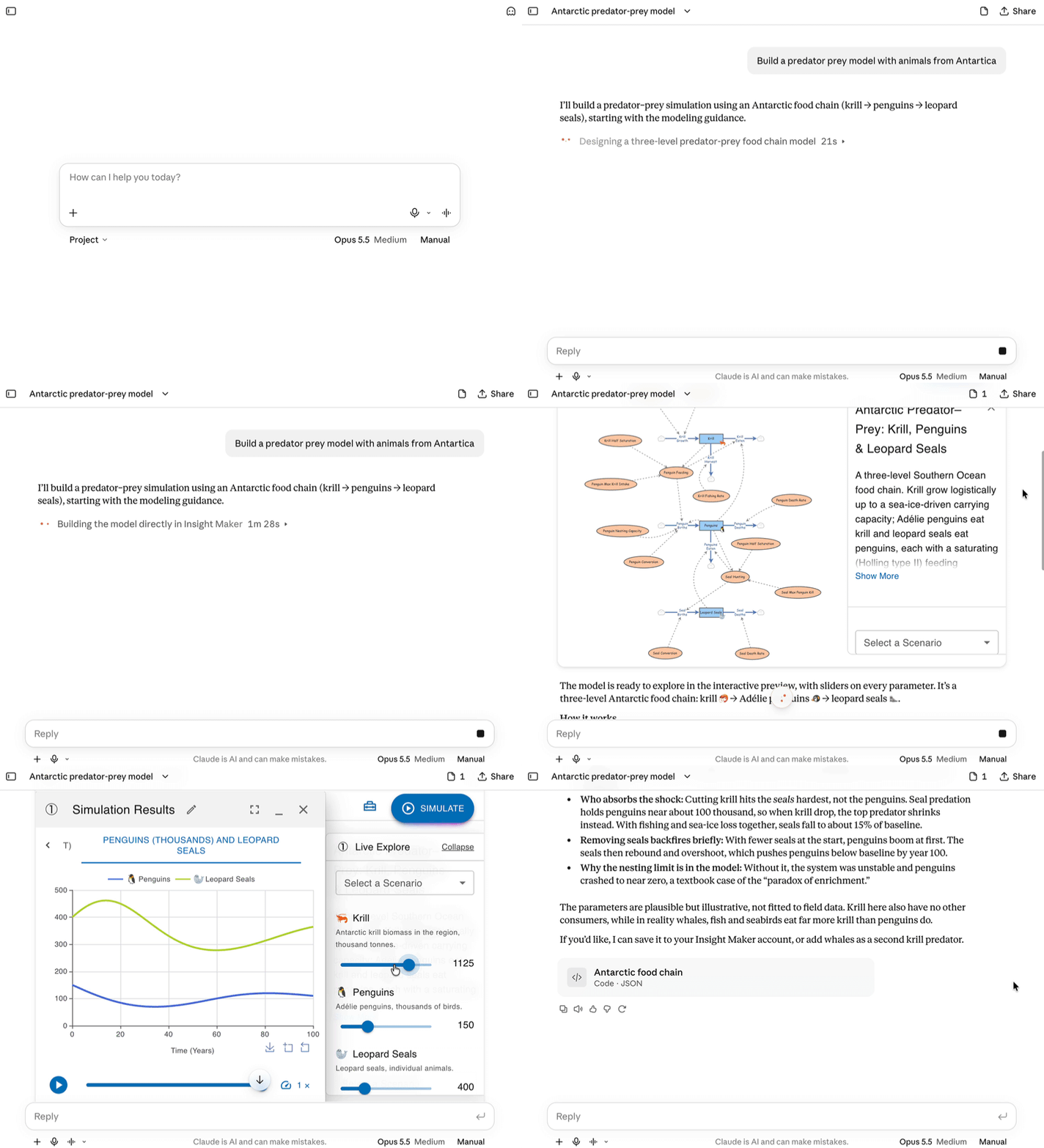
You can use your own AI Assistant like Claude or ChatGPT to build, review or analyze models. Insight Maker's AI assistant integration comes in two parts:
- MCP Server: connects an assistant to your Insight Maker account, so it can list, read, create and edit your models, and show them to you in the chat.
- Simulation Modeling skill: teaches an assistant how to build, run and analyze simulation models. It allows the assistant to build and test models in an agentic loop.
You can use either of these individually but we strongly recommend you install both as they are better together.
The MCP server
Insight Maker's MCP server is:
Claude, ChatGPT, and most other assistants support MCP servers. Generally, what you need to do to add the Insight Maker MCP server is:
- In the assistant's settings, look for Connectors, MCP servers or Integrations, and choose to add a custom or remote server.
- Paste in the URL above, and name it Insight Maker.
- If it asks how to authenticate, choose OAuth, or signing in. The assistant will open Insight Maker for you to log in and approve the connection.
You can ask your assistant how to install an MCP server for specific instructions.
The Simulation Modeling skill
A skill is a folder of instructions and tools that an assistant can use when building simulation models. The Simulation Modeling skill loads whenever you ask for a model or a simulation. It contains modeling guidance, reference documentation for Insight Maker's model formats and equations, example models, and a simulation engine the assistant can run locally to test its models.
Claude, ChatGPT, and most other assistants support skills. To add the skill to your assistant, you will generally do something like:
- Download the skill zip file from the link above.
- In the assistant's settings, look for Skills or Plugins or Customize.
- Click the option to "Add" or "Upload" a skill, and upload the zip file you downloaded.
You can ask your assistant how to install a skill for specific instructions.
Example prompts to try
Once these two integrations have been activated in your assistant, you can ask the AI to do things like:
"Build a Lotka-Volterra model with animals native to Canada"
"Analyze the model https://insightmaker.com/insight/EXAMPLE and check it for any issues or errors"
"Explore interesting scenarios in https://insightmaker.com/insight/EXAMPLE and suggest areas for future research"
"Take the model https://insightmaker.com/insight/EXAMPLE and extend it to account for XYZ"
With the MCP integration, your assistant will have access to any model you have access to.